What the Vanta Multitool Actually Is
The Vanta Multitool is a single cloud-streamed bundle that pulls four separate jobs into one interface: Discord management utilities, network auditing tools, payload validators, and OSINT scanners. Instead of buying four tools and running four different setups, you get one consolidated workspace streamed from our cloud.
It solves a specific problem: tool sprawl. If you work with Discord communities, audit your own network targets, validate payloads, or run OSINT collection, you have been juggling separate apps, separate updates, and separate license keys. The Multitool replaces that with one interface and one workflow.
This is a product guide. We will walk through what each included module does, who should and should not buy it, what delivery looks like, and the setup mistakes that cause most support tickets.
Who This Is For, and Who It Is Not For
This is for security and OSINT practitioners who already understand what they are doing. If you audit systems you are authorised to test, manage Discord infrastructure for your own communities, or collect open-source intelligence as part of a legitimate workflow, the Multitool consolidates tools you likely already use.
It is not for someone who has never run a network scan or never touched an OSINT workflow. The toolkit assumes baseline knowledge. It gives you the tools in one place, but it does not teach you what an OSINT query is or what a payload validator checks. If you need a full classroom course, this is not your first stop.
The Discord management utilities also assume you are working with accounts and servers you control or are authorised to manage. That distinction matters, and we will come back to it in the disclosure section.
What Is Included and How Delivery Works
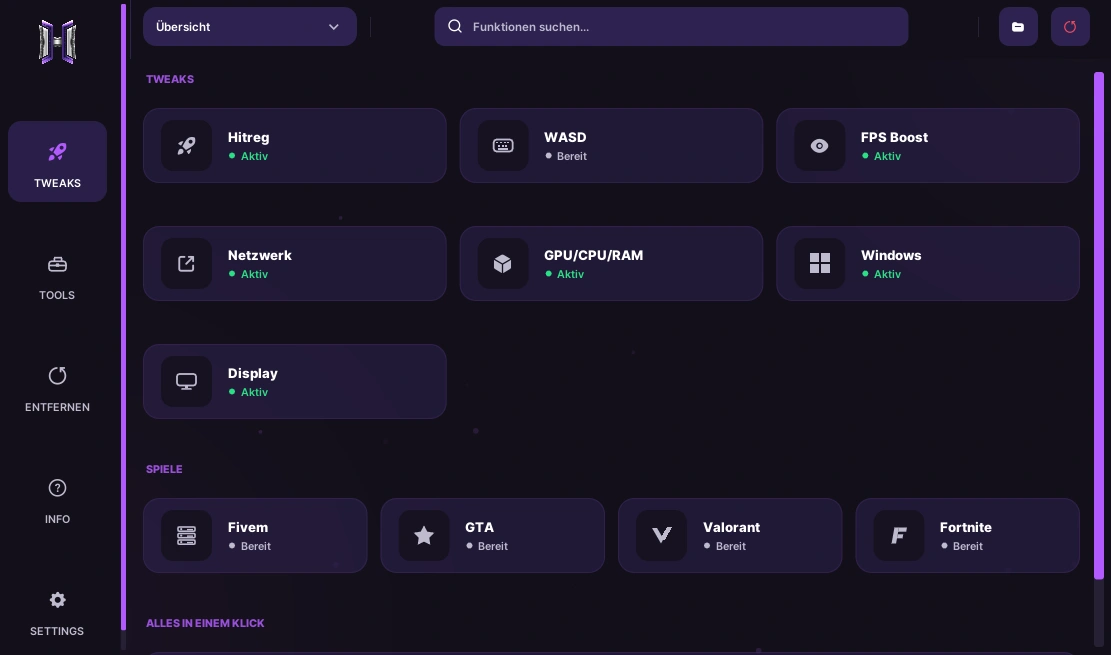
The Multitool ships with four modules in one cloud-streamed interface:
- Discord management utilities for automating and organising workflow around Discord infrastructure.
- Network auditing tools for inspecting systems you are authorised to test.
- Payload validators to check payloads before they are used.
- OSINT scanners for collecting open-source intelligence from public sources.
Delivery is where this differs from a classic download. The tool runs through a cloud-streamed interface rather than a local installer. That changes setup in two ways. First, there is no large local executable to manage, and no per-machine install to repeat. Second, you need a working connection to the stream during use, because the interface runs from our cloud.
Pricing for the Multitool is listed on the product page rather than in this guide, because the figure is set there. If pricing is your deciding factor, check the page before you commit.
Setup, Step by Step
Setup is shorter than a traditional multi-tool install because most of the software lives in the stream. Still, get the prerequisites right the first time.
- Confirm your Windows build is current. The stream handles the heavy lifting, but a current, stable OS build avoids driver and runtime conflicts on your side.
- Review your antivirus configuration. Security tooling of this kind often triggers flags, and any exclusion you add should be a deliberate choice you understand, not something accepted silently. It is your call and your system.
- Close conflicting software before first launch. Other auditing tools, sandboxes, and aggressive overlays can interfere with the stream session. Start clean.
- Connect to the cloud stream from the link you receive after purchase.
- Log in with the credentials or key issued for your license.
- Walk through each module once inside the stream to confirm it loads.
After purchase, follow the delivery instructions on the product page. If the purchase flow asks you to confirm the order through our specified contacts, do that promptly so your access is issued without delay.
Mistakes That Cause the Most Support Tickets
Most tickets come from a small set of avoidable mistakes.
The first is skipping the antivirus decision. If your security software silently quarantines components of the toolkit, the stream breaks mid-session and looks like a fault. Decide up front whether you will add an exclusion, and remember that choice is yours to make.
The second is running conflicting tools at the same time. A network audit module running alongside another active scanner doubles the load and produces confusing output. Run one task at a time.
The third is not confirming the order after purchase. Some of our products, including items in the Discord category, require you to write to the specified contacts to confirm. Buyers who skip it wait longer for access and open tickets asking where their order went.
The fourth is using an outdated OS build and blaming the tool. Update first, then test.
Troubleshooting: The Likely Failure Points
If something does not start, work these in order.
Connection failure. The Multitool is cloud-streamed, so a blocked port, an aggressive firewall, or a flaky connection will stop it launching. Confirm your network allows the stream, then retry.
Antivirus interference. If modules fail to load or the stream drops repeatedly, your security software is the first suspect. Revisit the exclusion decision from setup.
Conflicting software. Another audit tool, sandbox, or overlay holding system resources can starve the stream. Close everything else and relaunch.
Order not delivered. If purchase confirmation was required and you skipped it, go back and complete that step before anything else. The delivery instructions on the product page tell you exactly what to do.
Frequently Asked Questions
Do I install anything locally?
No. The Multitool runs through a cloud-streamed interface, so there is no large local install to manage. You connect to the stream and work from it.
Does one license cover multiple machines?
Because the tool is cloud-streamed, your access is tied to your license rather than to a single local install. Check the product page for the exact machine and session terms.
Is the Discord module a replacement for the store's Discord products?
No. The Multitool's Discord utilities are workflow tooling inside the suite. If you specifically want members added to your server or verified accounts, those are separate products in our Discord category.
What happens after a game or platform patch?
This is a multimodule tool, so update behaviour varies by module. For the Discord utilities, check the product page's live status for the exact timing and policy.
Can I use this on systems I do not own?
No. Use is restricted to systems you are authorised to test. Any use without the owner's consent is a breach of the terms of service.
Is a refund available if it does not work for me?
Digital products are non-refundable once provided. A refund is possible only if you did not receive the product after a successful payment, the product demonstrably does not function at all, or there is a critical fault on our side. Proof such as screenshots or error logs is required.
Your Vanta Multitool Cloud Stream: What to Check Before You Buy
Here is the honest limitations section, stated plainly. The Multitool consolidates real tools into one interface, but it is not a magic bullet. It does not automate judgment: the Discord utilities, network audit, payload validator, and OSINT scanner all still need a capable operator. Detection and update status is a moving snapshot, not a permanent guarantee. Where the product page states specific behaviour, trust that over anything written before a patch lands.
If you already work across these four areas, consolidating them into one stream removes real friction. If you only need one of the four modules, a single-purpose product may suit you better.
A Note on What You Are Buying Into
We need to be direct here, because it affects your decision. Using this software, including the Discord utilities, violates the relevant platform's terms of service. It can result in a permanent ban of the account involved, and in some cases a hardware or account-family ban. You use it at your own risk, on a secondary account you can afford to lose.
Our refund policy follows the store rules. Because these are digital goods, all sales are final once the product is provided. There is no refund after access is issued for the product working as offered. A refund is limited to the strict cases in the policy: non-delivery after a successful payment, a product that demonstrably does not function at all, or a critical fault on our side, each with supporting evidence. In the event of a detection or ban, read the refund policy on the product page before buying, because that is the policy that governs you.
Do not use this tool on systems you are not authorised to test, and do not apply it beyond your own infrastructure. That keeps you on the right side of the terms you agreed to.
Getting Started
If the Multitool matches the four jobs you already do, the consolidated stream is worth testing against your current setup. Check the current price and live status on the Vanta Multitool product page.
If you only need the Discord side of things, our Discord category covers members and accounts as separate, single-purpose purchases. Start there if that is the real job you are hiring for.